Envelope and zero-based budgeting, clear reports and on-device spending insights. Your money data stays on your PC. No account, no subscription, no bank login.
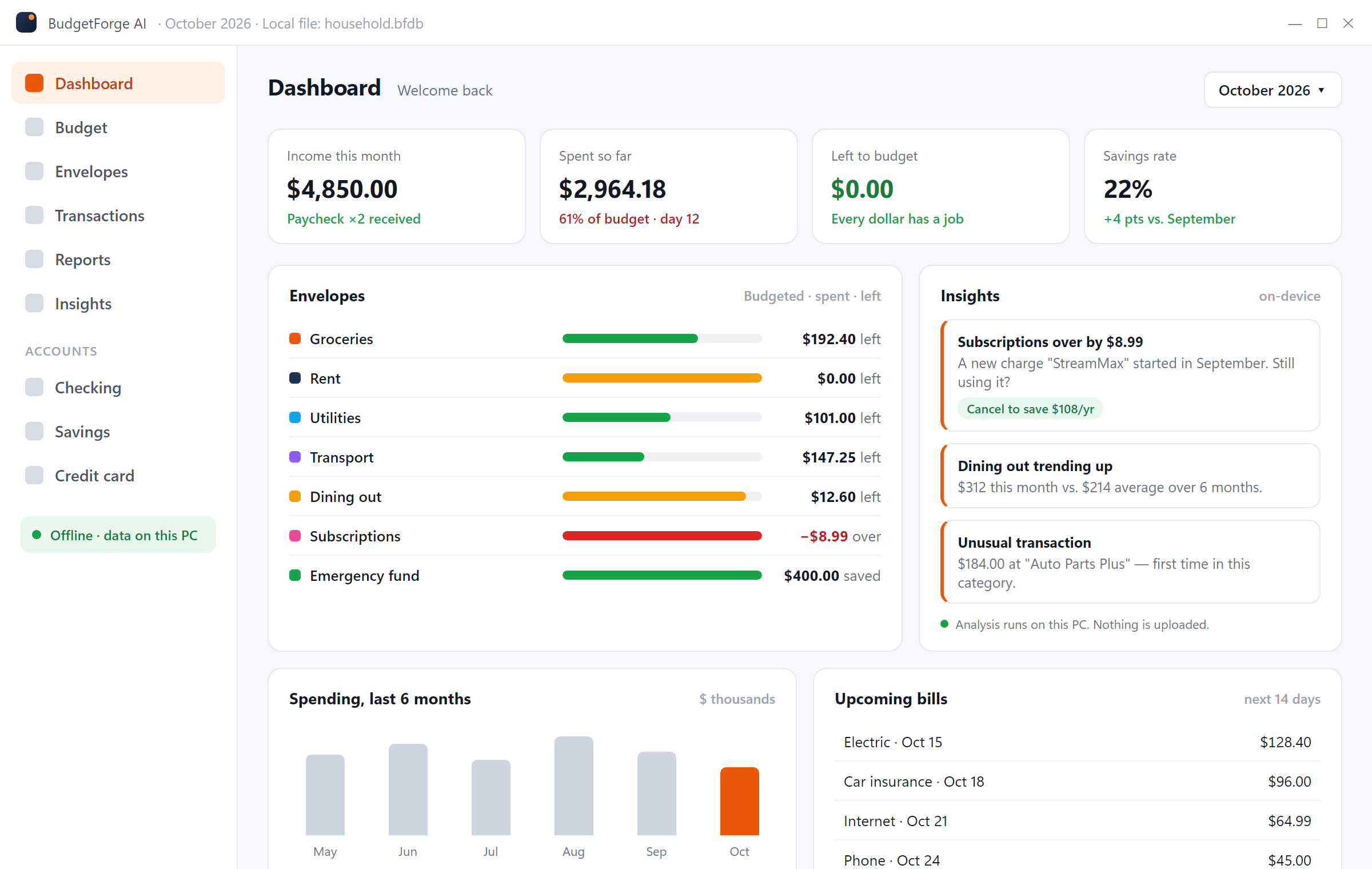
BudgetForge AI is a desktop budgeting app built around the two methods that actually change spending habits: envelopes and zero-based planning. Reports and insights show you where the money goes.
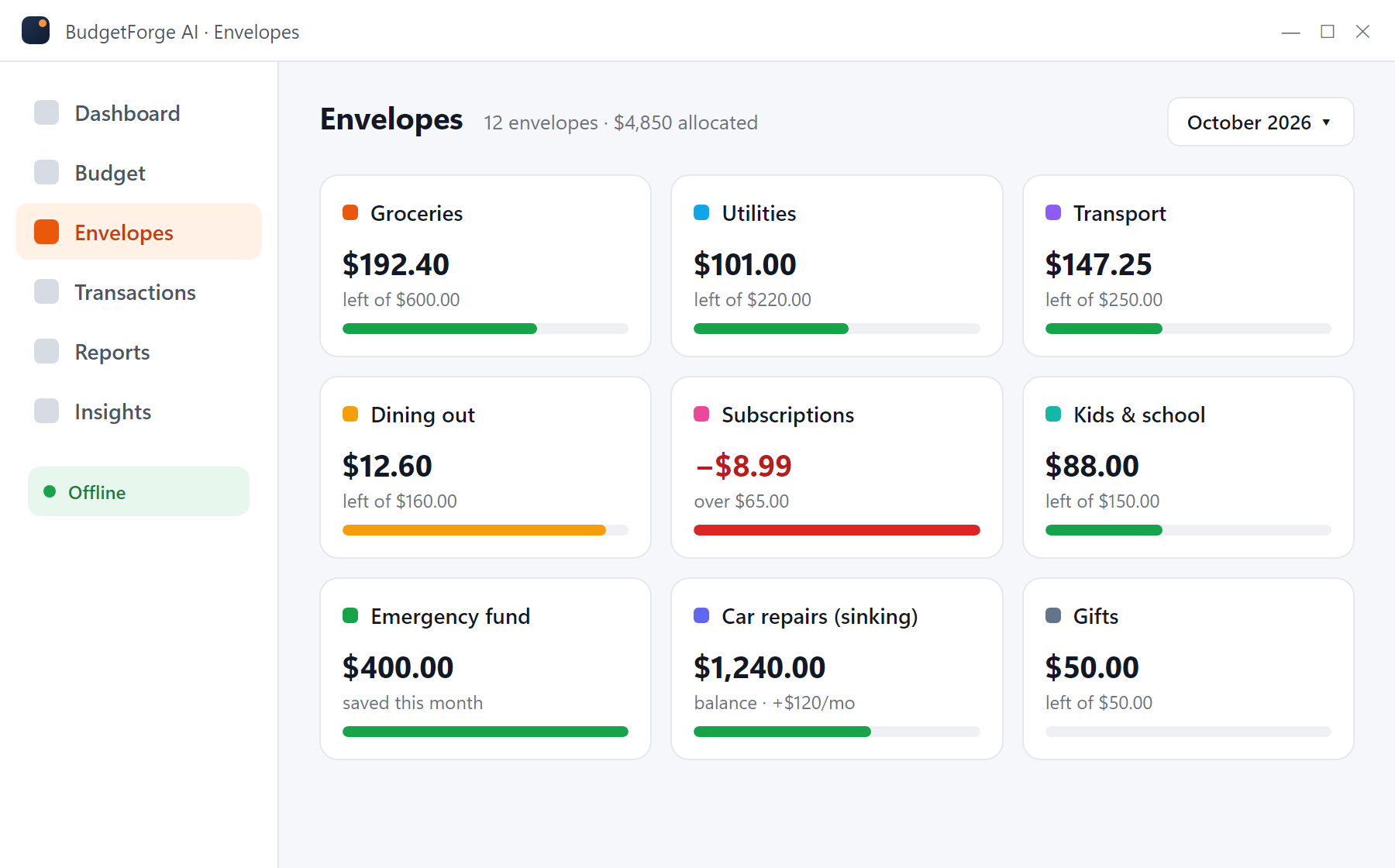
Give each spending category an envelope. Every transaction you add or import reduces the envelope, so you always know how much is left for groceries, gas or dining out before you spend it.
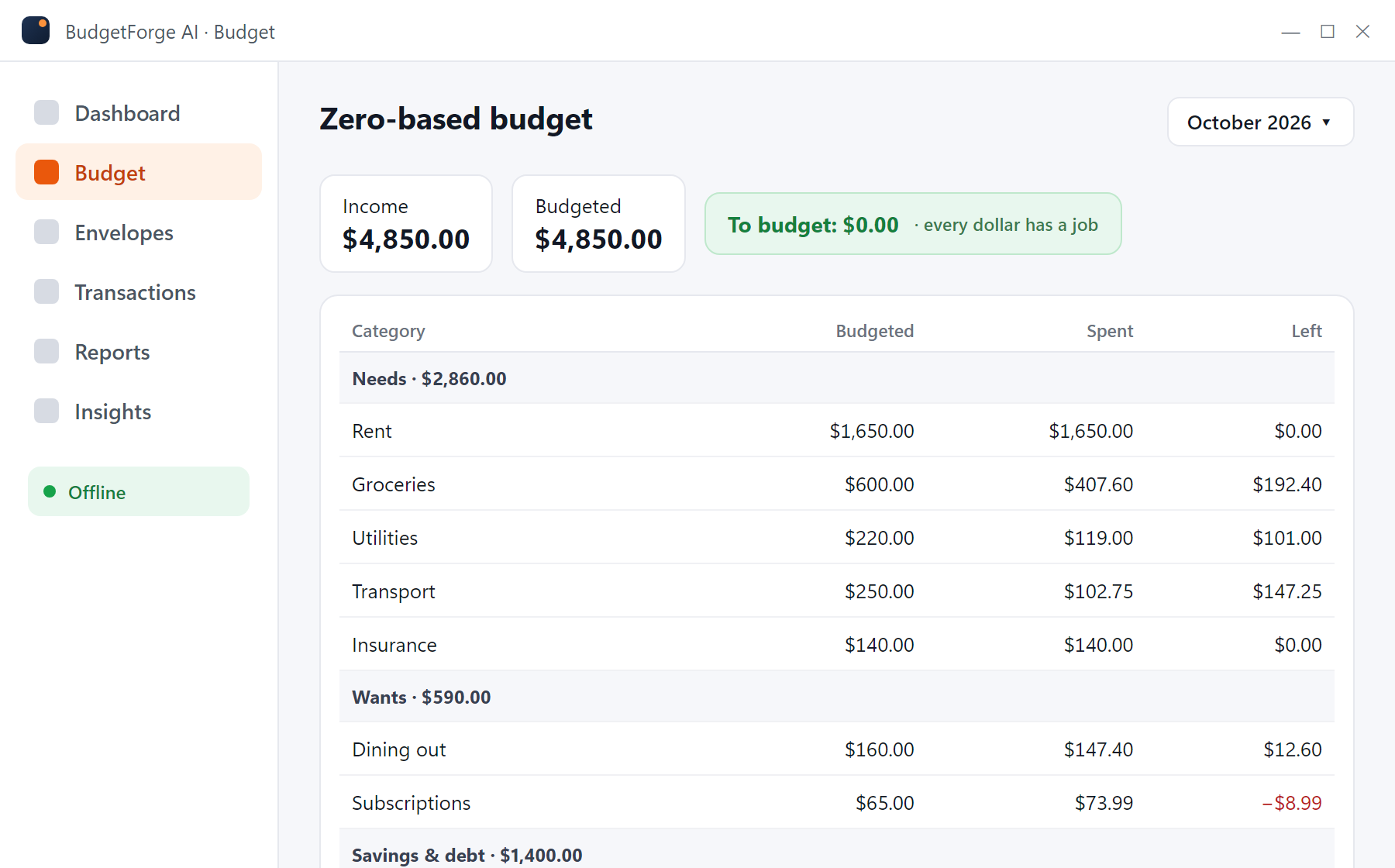
Plan the month from your real income. Assign money to needs, wants, savings and debt until "To budget" reads $0.00. Group categories, carry balances forward and adjust mid-month without breaking the plan.
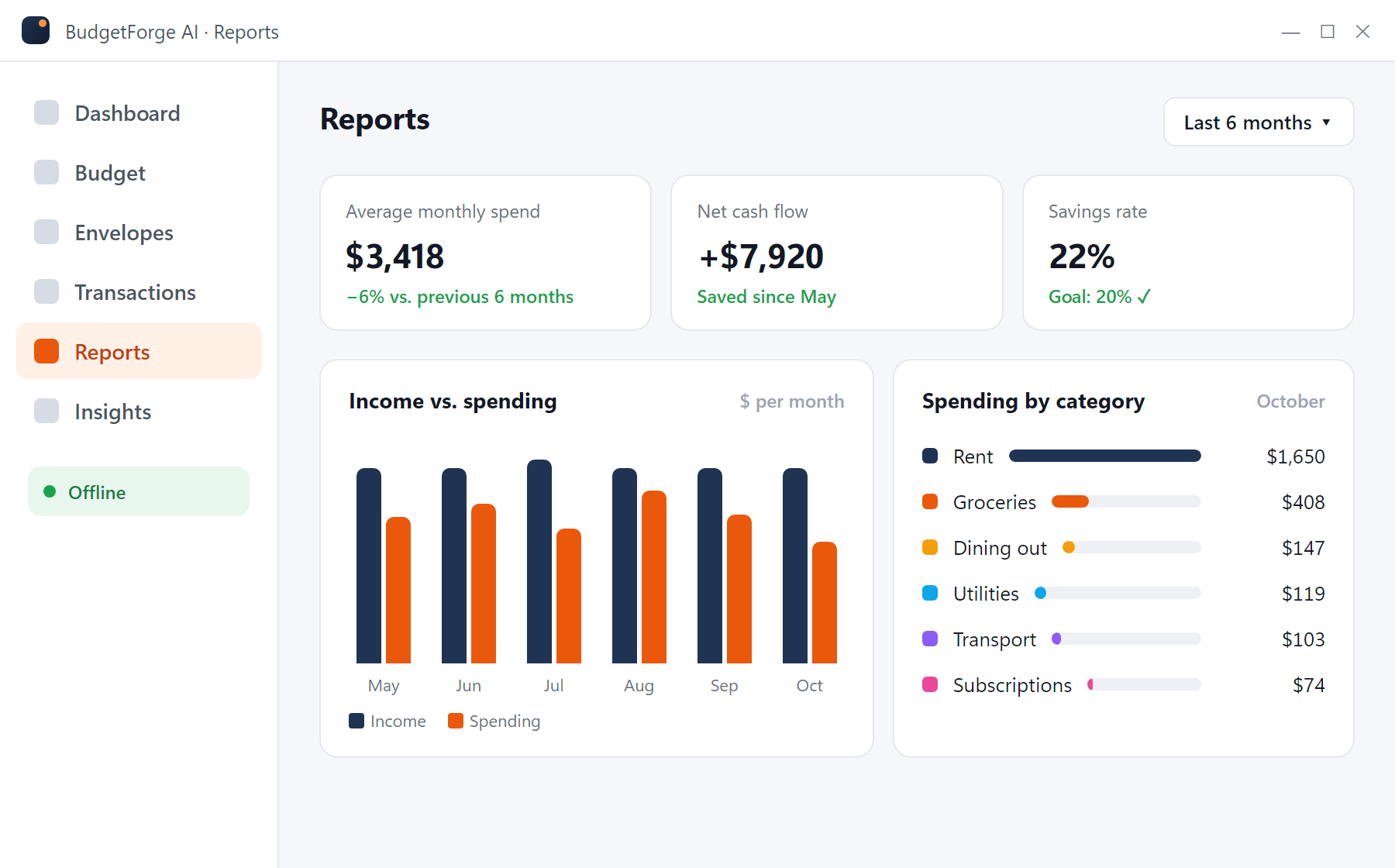
Spending by category, income versus expenses over six months, savings rate, net cash flow. Enough to spot the trend, not so much that you stop looking.
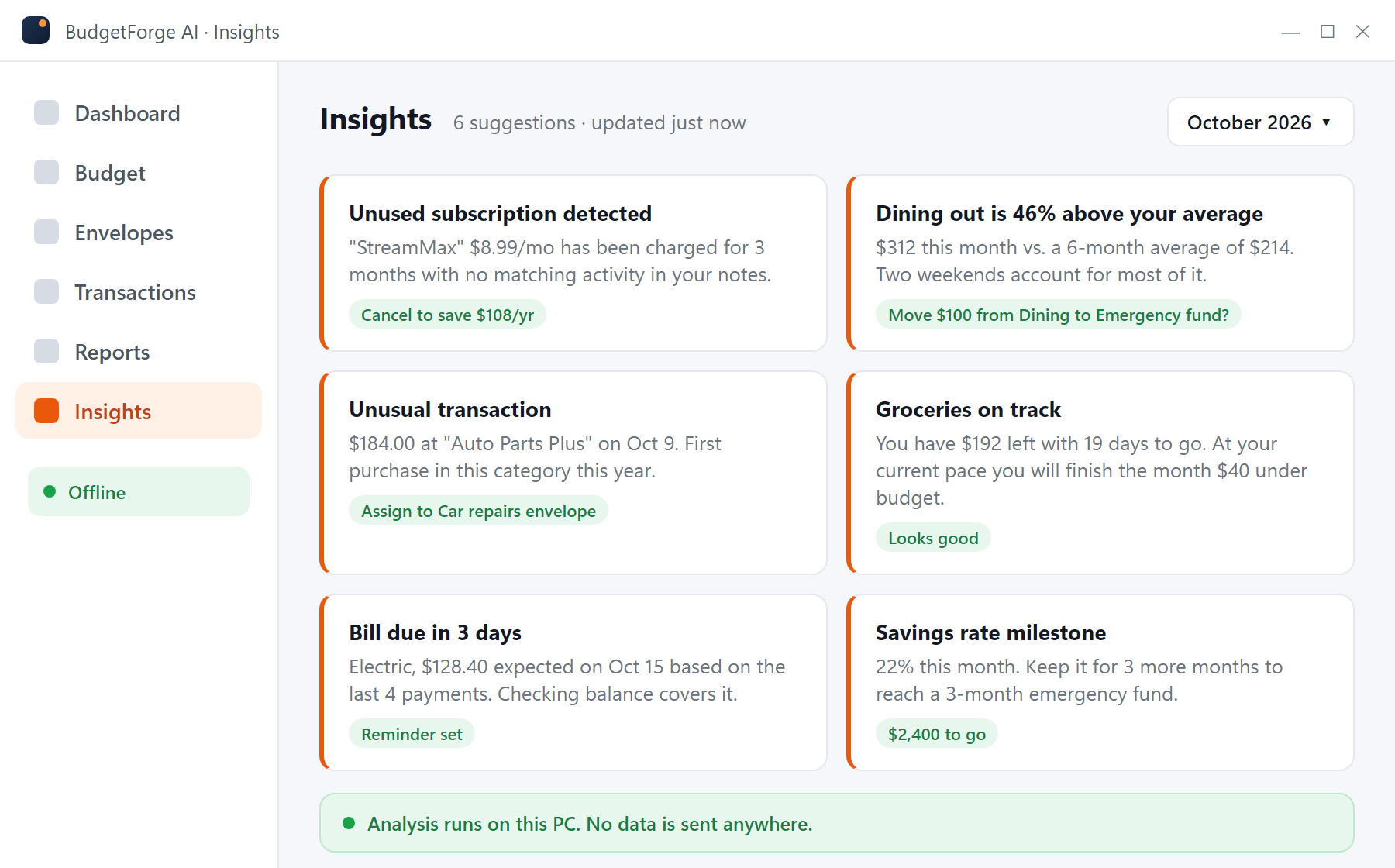
BudgetForge AI looks at your own history to flag unusual charges, categories trending over budget, subscriptions you forgot about and realistic savings. The analysis happens on your device. No data is sent anywhere.
Download transactions from your bank's website and import them in seconds. Map columns once; duplicates are skipped.
Keep accounts in different currencies side by side. Useful for expats, travelers and anyone paid in more than one currency.
Rent, insurance, utilities and subscriptions are tracked with expected amounts and due dates so nothing surprises you.
Your budget is a file on your PC. Back it up, move it to a new computer, or delete it. Nobody else can see it.
A native desktop app for Windows 10 and 11 with a familiar layout. No browser tab, no web login, no waiting for a server.
Export every account, category and transaction to CSV at any time. If you ever leave, you take everything with you.
Download the installer (117 MB), run it, and open BudgetForge AI. No account to create, no email to confirm.
Enter your monthly income and pick categories. Import a CSV or QFX from your bank or type in transactions as you go.
Assign every dollar, watch envelopes as you spend, and read the insights at the end of the week. Repeat next month.
Most budgeting apps charge a subscription and store your financial data on their servers. Here is the honest picture.
| Feature | BudgetForge AI | YNAB | Quicken Simplifi | EveryDollar Premium | Actual Budget |
|---|---|---|---|---|---|
| Price | Free | $14.99/mo or $109/yr | $5.99/mo billed yearly | $17.99/mo or $79.99/yr | Free (open source) |
| Works offline | Yes | No | No | No | Yes |
| No account required | Yes | No | No | No | Yes |
| Data stored on your PC | Yes | No | No | No | Yes |
| Envelope & zero-based budgeting | Yes | Yes | Partial | Yes | Yes |
| On-device spending insights | Yes | No | Partial | No | No |
| Automatic bank sync | No | Yes | Yes | Yes | Partial |
| Mobile app | No | Yes | Yes | Yes | Partial |
| One-click Windows install | Yes | Web app | Web app | Web app | Yes |
| 5-year cost | $0 | $545 | $359 | $400 | $0 |
Prices checked October 2026 from the vendors' public pricing pages; annual plans used for 5-year cost. Details and sources on each comparison page.
You download one file, BudgetForge.AI-windows-x64.exe (about 117 MB). It installs BudgetForge AI into your user folder and adds a Start-menu shortcut. It does not install browser extensions, toolbars or background services, and it does not change your system settings.
Windows SmartScreen may show "Windows protected your PC" for installers from newer publishers. If it does, click More info, then Run anyway. You can scan the file with Windows Security or VirusTotal first; we encourage it. Read the SmartScreen guide.
Uninstall any time from Settings > Apps. Your budget file stays until you delete it.
The app never transmits transactions, balances or categories. The only network activity is checking for updates, which you can turn off.
There is nothing to sign up for, so there is no database of users to breach.
Yes. BudgetForge AI is free to download and use on Windows 10 and 11. There is no subscription, no premium tier, no ads and no in-app purchases. You do not need to create an account or enter a card.
Yes. BudgetForge AI runs entirely on your PC. Budgets, transactions, reports and the spending insights are all computed locally, so you can use it on a laptop with no connection at all. Nothing is uploaded to a server.
No, and there is no option to. Instead of handing over your online-banking login to a third-party aggregator, you import the CSV or QFX file your bank already lets you download, or enter transactions by hand. Most people do this once a week in a few minutes.
It analyzes your own transaction history on your PC to flag unusual charges, categories that are trending over budget, recurring subscriptions you may have forgotten, and realistic places to save. The analysis runs on your device. No data is sent anywhere.
Envelope budgeting (allocate money to envelopes and watch what is left), zero-based budgeting (assign every dollar until "To Budget" reaches $0), simple monthly category budgets, sinking funds for irregular expenses, and recurring bill tracking. You can mix methods.
Yes. Export your transactions as CSV from your current app (or download them from your bank), then use File > Import in BudgetForge AI. Categories can be mapped during import. Your data can be exported back to CSV at any time, so there is no lock-in.
In a local database file on your PC. Back it up like any other important file: copy it to an external drive or an encrypted folder, or use Windows File History. You can also export everything to CSV from the app.
Download only from budgetforge.ai. The file is BudgetForge.AI-windows-x64.exe, about 117 MB. Windows SmartScreen sometimes warns about installers from newer publishers until they build reputation; you can scan the file with Windows Security or VirusTotal first, then click "More info" and "Run anyway". See our SmartScreen guide for details.
Six budgeting tools that still work on a Windows PC in 2026, compared on price, offline support, bank import, and who each one is actually for.
AlternativesMint closed in March 2024 and Credit Karma never got its budgets or categories. Here are six Mint alternatives with honest pros and cons, a comparison table, and how to recover your old Mint data.
PrivacyCloud budgeting apps offer sync and bank feeds; local apps offer ownership and no subscription. Here are the real trade-offs, what breaches and shutdowns taught us, and how to decide.
Free budgeting software for Windows 10 and 11. No account, no subscription, no bank login. Install in two minutes.
Download BudgetForge AI (free) BudgetForge